Introduction
A power outage can interrupt more than lighting, internet access, and household appliances. For people who use a CPAP machine every night, it can also interrupt sleep apnea therapy.Most standard CPAP machines depend on continuous external power. If the electricity goes out and no backup source is connected, the machine may stop delivering airflow immediately. Some models support an external battery or direct DC connection, but the correct setup depends on the exact CPAP model.Preparing for an outage therefore requires more than buying the largest battery available. You need to know:
- How much power your CPAP actually uses
- Whether it can accept DC power
- Which cable or converter it requires
- Whether you plan to use heated humidification
- How many hours of backup time you need
- Whether the power source can operate reliably throughout the night
This guide explains how to compare CPAP backup power options, estimate runtime, reduce unnecessary power consumption, and prepare a practical emergency plan.
This article focuses primarily on CPAP and APAP machines used for sleep apnea therapy. People who depend on bilevel ventilation, noninvasive ventilation, or a life-support ventilator need an emergency plan developed with their clinician and equipment provider.
What Happens to a CPAP Machine When the Power Goes Out?
Most home CPAP machines do not contain a large internal battery. They rely on electricity from a wall outlet or an approved external power source.When the wall power fails, a CPAP machine without backup power will generally stop operating. The user may wake because airflow has stopped, but that should not be the only emergency plan.ResMed advises users to consider an external CPAP battery for situations such as outages and unreliable power. However, battery compatibility and connection requirements vary by device.Some CPAP machines can operate from a compatible DC battery through an approved converter. Others require a model-specific battery or cable. A machine that accepts one DC voltage must not be connected to a battery output with a different voltage simply because the plug appears to fit.
CPAP Is Different From Life-Support Ventilation
A standard CPAP machine used to treat obstructive sleep apnea is different from a device used to provide essential ventilatory support.If a person cannot breathe adequately without their device, a portable consumer battery should not be the only backup plan. The user, caregiver, clinician, and home medical equipment provider should establish:
- A primary backup power source
- A secondary backup source
- A plan for extended outages
- Emergency contact information
- An alternative ventilation method, when clinically required
- A plan for evacuation or transfer to a powered location
The FDA advises people who depend on electrically powered medical devices to ask the manufacturer or equipment supplier whether the device can be operated from a battery or generator. It also recommends checking device settings after power is restored.
Backup Power Options for a CPAP Machine
There is no single backup power solution for every CPAP user. The most suitable option depends on device compatibility, expected outage duration, portability, budget, and whether heated accessories will be used.
Manufacturer-Approved CPAP Battery
A manufacturer-approved battery is designed for specific CPAP or bilevel models. It may connect directly to the machine or through a dedicated adapter.Its main advantages include:
- Clearer device compatibility
- Model-specific connection cables
- Simple setup
- Portable size
- Manufacturer documentation about expected use
Possible limitations include:
- Higher cost per watt-hour
- Compatibility with only selected models
- Limited capacity
- Restrictions on humidifier or heated-tube use
Users should check the battery compatibility list rather than assume that every battery sold under the same brand works with every machine.
Direct DC Battery Power
CPAP machines ultimately operate internally on direct current. When a compatible device is powered from a battery through an approved DC cable or DC-to-DC converter, the system may avoid the additional losses created by an AC inverter.Direct DC power may therefore provide longer runtime from the same battery capacity. However, the following specifications must match:
- Output voltage
- Required current
- Connector size
- Connector polarity
- Cable or converter type
- Continuous output rating
For example, ResMed specifies that its Air10 90W DC-to-DC converter is intended for selected AirSense 10, AirCurve 10, and Lumis devices. The converter accepts a suitable 12V or 24V DC source, but the manufacturer warns against modifying it or using it outside the intended system.A generic cable that physically fits the power port is not automatically safe or electrically compatible.
Using the Original CPAP AC Power Adapter
The original AC power adapter can be connected to a backup source that provides a compatible AC outlet, such as a portable battery system, UPS, home backup system, or properly installed generator.This approach is straightforward because the CPAP remains connected through its original power supply. It also avoids the need to find a model-specific DC cable.However, the backup system must first convert battery power from DC to AC. The CPAP adapter then converts that AC power back to the DC voltage required by the machine. Each conversion consumes energy, so actual runtime will usually be shorter than a calculation based only on the battery’s rated capacity.Before using this method, check:
- AC output voltage
- Output frequency
- Continuous output power
- Inverter waveform
- CPAP manufacturer requirements
- The backup source’s own standby consumption
The original AC adapter is a power supply, not a backup battery by itself. It must remain connected to a separate source of electricity.
UPS or Home Backup System
An uninterruptible power supply can be useful when outages are brief and unpredictable. Some systems switch to battery power automatically when utility power fails.However, a standard computer UPS may be designed to keep electronics running only long enough to save work and shut down. It may not have enough usable energy to operate a CPAP for eight hours.Before relying on a UPS, confirm:
- Battery capacity in watt-hours
- Expected runtime at the CPAP’s actual load
- Transfer time
- Output waveform
- Battery age
- Whether alarms can be silenced safely
- Whether the system has been tested with the CPAP
A larger home battery system may support a CPAP for much longer, but the CPAP should still be included in the household’s essential-load plan.
DC vs. AC Backup Power for CPAP
Both methods can work when the equipment is compatible, but they have different advantages.
| Backup method | Main advantage | Main limitation | Suitable use |
|---|
| Manufacturer-approved battery | Clearer model compatibility | May have limited capacity | Travel and simple emergency backup |
| Direct DC power | Fewer conversion stages | Requires the correct cable and electrical match | Longer battery runtime |
| Original AC adapter with an AC backup source | Familiar connection method | Additional conversion losses | Flexible household backup |
| UPS | May switch automatically | Runtime may be short | Brief, unexpected outages |
| Home battery system | Can support several essential devices | Higher cost and installation requirements | Frequent or extended outages |
Direct DC power can be more efficient, but efficiency does not override compatibility. If the CPAP manufacturer requires a particular converter, that requirement should take priority over a generic cable that claims to provide the same voltage.
How Much Power Does a CPAP Machine Use?
There is no universal CPAP power figure. Consumption changes according to the machine, treatment settings, accessories, mask leak, and room conditions.Factors that can affect power consumption include:
- Therapy pressure
- Machine operating mode
- Heated humidifier setting
- Heated tubing temperature
- Mask or tube leakage
- Ambient temperature and humidity
- Connected communications or accessories
- Power-conversion method
Adapter Rating vs. Actual Power Consumption
The wattage printed on a CPAP power adapter often represents the power supply’s rated output or maximum capability. It does not necessarily mean that the CPAP continuously consumes that amount.For example, a machine supplied with a 65W adapter may use less than 65W during normal therapy, particularly when heating features are off. However, a backup source must still handle the applicable starting, peak, and continuous power requirements.For planning purposes, use information from:
- The CPAP user manual
- The manufacturer’s battery guide
- The approved converter documentation
- A reliable power meter test
- The equipment provider
Do not estimate runtime from the adapter rating alone unless no better information is available.
How to Calculate CPAP Battery Runtime
Battery capacity is often shown in watt-hours, abbreviated as Wh. This is the most useful unit for comparing battery energy with the power consumed by a CPAP.The basic formula is:
Estimated runtime in hours = usable battery energy in Wh ÷ average CPAP consumption in WThe usable energy is lower than the battery’s advertised capacity because the battery management system reserves some capacity and the power-conversion process creates losses.A practical planning formula is:
Estimated runtime = battery capacity × usable-energy factor ÷ average loadExample: A 384Wh Battery
Assume the following:
- Rated battery capacity: 384Wh
- Estimated usable-energy factor: 85%
- Average CPAP load: 40W
The calculation would be:
384Wh × 0.85 ÷ 40W = approximately 8.2 hoursThis example explains the calculation method. It does not mean every 384Wh battery will operate every CPAP for 8.2 hours.If the CPAP averages 20W under a different configuration, the same calculation produces approximately 16.3 hours. If heating accessories increase average demand to 60W, the estimate falls to approximately 5.4 hours.Actual runtime may also be affected by:
- Battery temperature
- Battery age
- Inverter efficiency
- Cable losses
- Automatic shutoff thresholds
- Other devices connected to the battery
- Changes in CPAP pressure during the night
For this reason, an overnight test is more useful than a purely theoretical calculation.
How Humidifiers and Heated Tubes Affect Runtime
Heating water and tubing requires considerably more energy than producing airflow alone. In many CPAP backup systems, humidification is therefore the largest variable affecting runtime.ResMed’s published battery tables illustrate this difference. Depending on the AirSense 10 configuration and therapy pressure, the recommended battery size for eight hours increases substantially when the humidifier and heated tubing are used. The manufacturer’s figures include a safety margin and apply to specified equipment configurations, so they should not be generalized to every machine.Some manufacturer batteries may also restrict humidification. Philips states that humidification is disabled for certain DreamStation models when used with a specified PAP battery configuration.
Should You Turn Off the Humidifier During an Outage?
If the manufacturer permits it, turning off or reducing heated humidification and heated tubing can extend battery runtime.This should be planned and tested in advance. Some users experience nasal dryness, congestion, or discomfort without humidification. A clinician or equipment provider can help determine whether temporary operation without heating is appropriate.Users should not change prescribed pressure settings to save battery power. Therapy settings and optional comfort heating are separate issues.
How to Check Battery Compatibility
Before connecting a CPAP to any external battery, work through the following checklist.
1. Identify the Exact CPAP Model
Model families can contain machines with different power requirements. Record the full model name and number.
2. Read the Power Specifications
Check the user manual and the label on the original power supply. Identify:
- Required input voltage
- Maximum or rated current
- Power-supply output
- Connector type
- Polarity
3. Check the Manufacturer’s Battery Guidance
Look for approved batteries, DC converters, cables, and operating restrictions. Confirm whether heated humidification is supported.
4. Confirm Continuous Output Capacity
The battery must support the CPAP’s required continuous power. A high energy capacity does not help if the output port cannot deliver the required voltage or current.
5. Match the Connector and Polarity
Two connectors can look similar while having different dimensions or wiring. Incorrect polarity can damage the CPAP or trigger its protection system.
6. Check the Complete System
Compatibility includes more than the battery and machine. The cable, converter, inverter, humidifier, and heated tube can all affect operation.
7. Test Before an Emergency
Operate the CPAP with normal therapy settings for a full night. Record the starting and ending battery percentages and note whether heating features were enabled.
How to Prepare Before a Power Outage
A reliable plan should be prepared before severe weather or a utility failure begins.
Build a CPAP Emergency Kit
Consider keeping the following items together:
- Fully charged backup battery
- Correct DC cable or original AC power adapter
- Any required manufacturer-approved converter
- Spare mask cushion or complete mask
- Spare tubing
- Clean filters
- Flashlight
- Device manual
- Equipment provider contact details
- Clinician and emergency contact information
- Written backup and evacuation plan
Store the battery in a dry, ventilated location within its specified temperature range. Do not place it under bedding or cover its ventilation openings.
Test the Setup Overnight
A useful test should reproduce normal use as closely as possible:
- Charge the battery fully.
- Connect the CPAP through the intended cable and power path.
- Use the prescribed therapy settings.
- Decide whether the humidifier and heated tube will remain on.
- Run the system for a complete night.
- Record the total operating time and remaining charge.
- Check for low-voltage, power-supply, or connection warnings.
Repeat the test periodically because battery capacity declines with age and use.
Prepare for a Multi-Day Outage
For longer outages, one battery may not be enough. Plan how it will be recharged and where treatment can continue if local power remains unavailable.Possible options include:
- A second charged battery
- A vehicle charging method approved for the battery
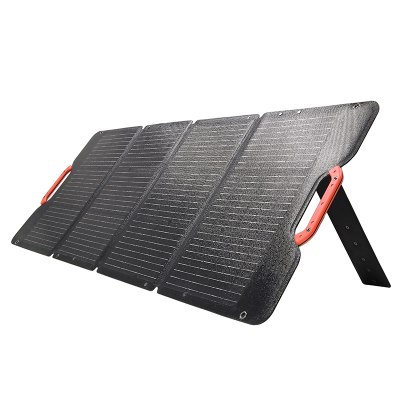
- A compatible solar charging system
- A home battery system
- A community shelter or medical facility with backup power
- An evacuation destination with reliable electricity
Solar charging can help, but output depends on panel size, sunlight, weather, placement, and charge-controller limits. It should not be treated as the only guaranteed charging method during a storm.If a fuel-powered generator is used, keep it outdoors and well away from windows, doors, and air intakes. Never operate a generator inside a home, garage, tent, or other enclosed space.
Using a DC Battery Pack for CPAP Backup
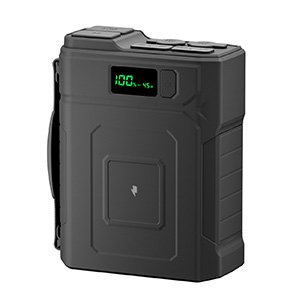
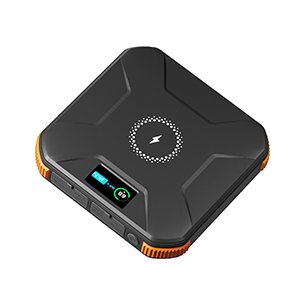
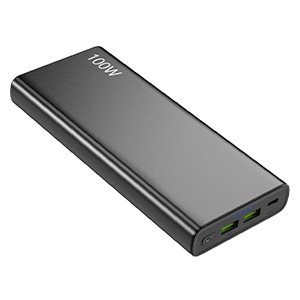
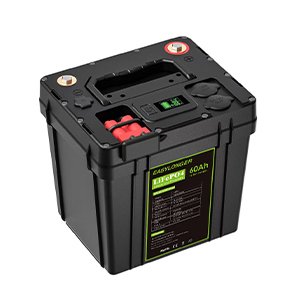
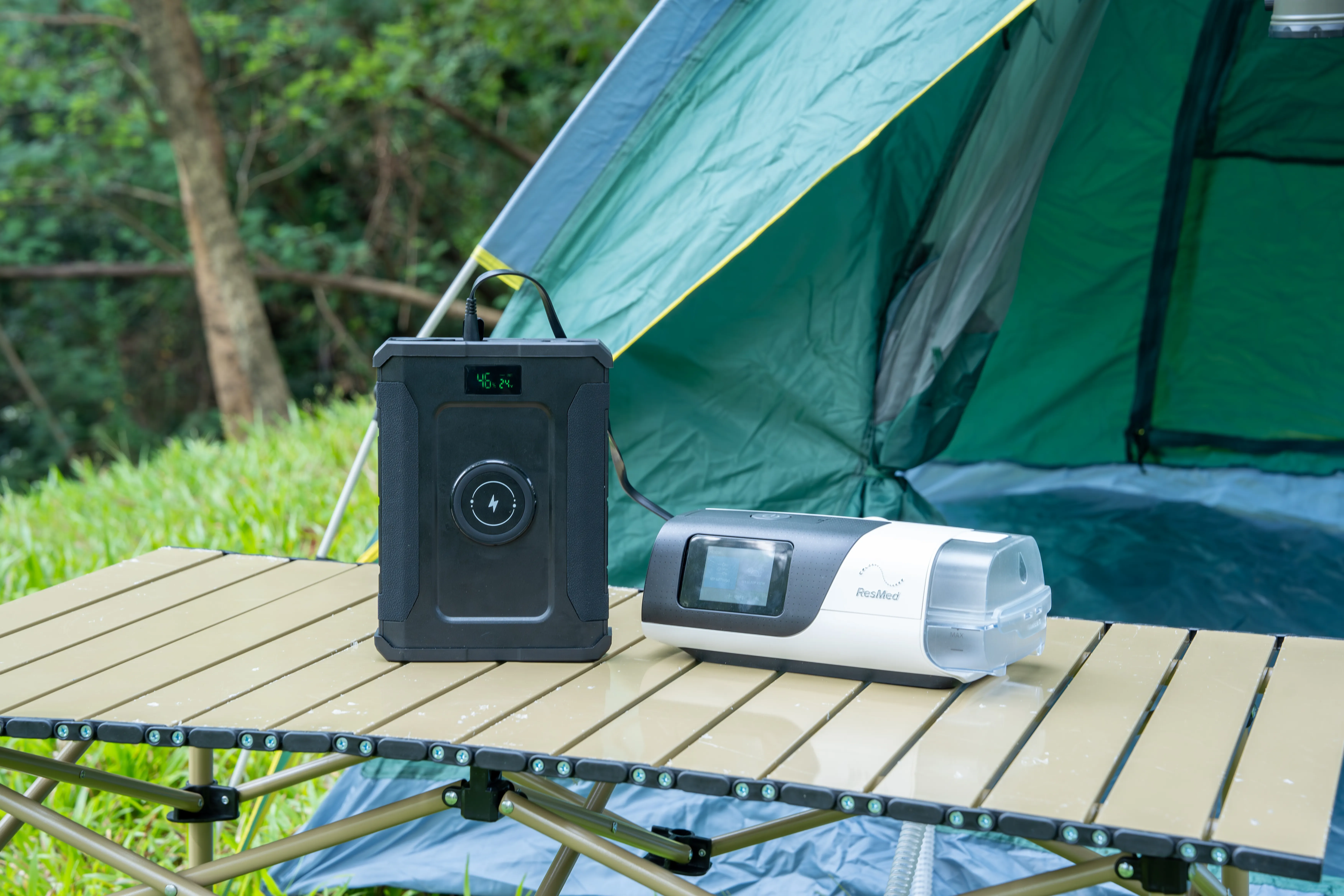
A DC battery pack can be a practical option when its output matches the requirements of the CPAP and approved connection equipment.Before connecting a Merpower or another DC battery pack to a CPAP, confirm:
- The battery’s rated capacity in watt-hours
- The relevant output voltage
- Maximum continuous output current
- Port and connector type
- Connector polarity
- Required DC converter or cable
- CPAP average and peak power needs
- Whether humidification is supported
- Expected runtime under the intended settings
A battery pack should not be advertised as providing a guaranteed “full night” of CPAP operation without specifying the CPAP model, settings, accessories, connection method, and test conditions.For example, a 384Wh battery may provide adequate overnight energy for some CPAP configurations. The same battery may provide much less than one night when a heated humidifier, heated tube, inverter, and other devices are operating.The responsible approach is to calculate an initial estimate and then verify it through a complete overnight test.
Common CPAP Backup Power Mistakes
Choosing a Battery by mAh Alone
Milliamp-hours cannot be compared fairly unless voltage is also known. Watt-hours provide a clearer measure of total battery energy.
Treating the Adapter Rating as Normal Consumption
A 65W or 90W power supply rating does not prove that the CPAP continuously draws that amount. Use device-specific consumption data when possible.
Ignoring Heated Accessories
A humidifier and heated tube can make the difference between one full night and only a few hours of runtime.
Using an Unverified DC Cable
A connector that fits may still have the wrong voltage or polarity. Use a cable or converter approved for the specific machine whenever possible.
Testing for Only a Few Minutes
A short test confirms that the CPAP turns on. It does not prove that the battery can support an entire night.
Powering Too Many Devices
Phones, lights, fans, and other electronics reduce the energy available for therapy. During an outage, reserve enough capacity for the CPAP before connecting optional loads.
Changing Therapy Pressure to Save Energy
Do not adjust prescribed pressure or ventilation settings to extend battery runtime. Discuss any therapy changes with the appropriate clinician.
Treating a Consumer Battery as a Complete Medical Emergency Plan
A battery can support an emergency plan, but it cannot replace clinical guidance, equipment redundancy, emergency contacts, or an evacuation plan for a power-dependent patient.
CPAP Power-Outage Checklist
| Before an outage | During an outage | After power returns |
|---|
| Charge and test the battery | Monitor remaining battery capacity | Confirm the CPAP operates normally |
| Verify cables and converters | Keep the equipment clean and dry | Check that therapy settings remain correct |
| Record expected runtime | Reserve power for essential equipment | Recharge the backup battery |
| Decide how to manage humidification | Follow the established emergency plan | Inspect cables and connectors |
| Prepare emergency contacts | Move to a powered location if necessary | Record problems before the next outage |
Frequently Asked Questions
Can I Use a Portable Battery for My CPAP?
Yes, if the battery and complete connection system meet the requirements of the specific CPAP. Confirm voltage, current, connector, polarity, output capacity, and manufacturer instructions before use.
How Large a Battery Do I Need to Run CPAP for Eight Hours?
Multiply the CPAP’s average wattage by eight hours, then allow for conversion losses and a safety margin.For example, a 40W average load requires 320Wh before losses. A battery rated at exactly 320Wh would therefore be too small for reliable planning. Actual requirements depend heavily on heated humidification and the power-conversion method.
Will CPAP Work When the Power Goes Out?
Only if it has an internal battery or is already connected to a functioning backup source. Many standard CPAP machines stop when wall power is lost.
Does a CPAP Humidifier Use More Battery Power?
Yes. Heating water and tubing can substantially increase energy consumption. Manufacturer battery tables should be consulted for the exact machine and configuration.
Is DC More Efficient Than AC for a CPAP?
A compatible direct DC setup can reduce conversion losses because the system does not need to create AC power first. However, the DC voltage, cable, connector, and polarity must match the CPAP manufacturer’s requirements.
Can I Connect CPAP Directly to a 12V Battery?
Only if the manufacturer supports that connection and the appropriate cable or DC converter is used. Some CPAP machines require a voltage other than 12V or use proprietary power connections.
Can a UPS Run CPAP All Night?
Some can, but many small computer UPS units cannot. Check usable watt-hour capacity and test the system for a full night.
Should I Change CPAP Settings to Save Battery Power?
Do not change prescribed therapy settings. If the manufacturer permits it, reducing or turning off optional heated humidification may extend runtime.
What If I Use a Ventilator Instead of a Standard CPAP?
Contact the clinician and equipment provider to develop a formal emergency power and alternative ventilation plan. A consumer portable battery should not be the sole backup for a person who depends on continuous ventilatory support.
How Often Should I Test the Backup Battery?
Test it when first purchased and periodically afterward. Recharge it according to the manufacturer’s instructions and repeat an overnight test if the battery ages, the CPAP changes, or the setup is modified.
Conclusion
Keeping a CPAP running during a power outage starts with knowing the machine’s actual electrical requirements.A manufacturer-approved battery offers straightforward compatibility for supported devices. Direct DC power may reduce conversion losses, while using the original AC power adapter with a compatible backup source provides a familiar connection method. Each option still needs to be checked against the CPAP model, accessories, and expected outage duration.Battery capacity alone does not determine runtime. Heated humidification, heated tubing, pressure, inverter losses, temperature, and other connected equipment can all change the result.Calculate an initial estimate, test the complete setup overnight, keep the battery charged, and prepare a plan for longer outages. Users who depend on more advanced ventilation support should develop that plan with their clinician and equipment provider rather than relying on a single portable power source.