




Table of Contents
Introduction
The bags are packed, the children’s jackets are ready, and relatives are waiting for everyone to arrive. Before closing the trunk, take a moment to check the smaller details: the destination address, accessible supplies, charging cables, and the phone that will guide the journey.
In 2026, Thanksgiving in the United States falls on Thursday, November 26. Whether your family is driving across town or spending several hours on the road, a little preparation can make the trip more comfortable.
Start with the route and the people traveling. Then arrange the supplies and device charging around their needs, leaving enough flexibility for rest stops and changes along the way.
Set the Travel Plan Before Packing the Car
Confirm the Address, Arrival Window, and Parking
Save the full destination address before leaving. If the entrance is difficult to find, ask your host for a useful landmark or arrival instructions.
Agree on an approximate arrival window rather than a minute-by-minute promise. Include time for the stops your passengers may need.
Check parking arrangements, especially when several households are meeting at one home. Knowing where to unload bags or help an older relative out of the vehicle can make arrival easier.
If family members are traveling in separate cars, agree on clear meeting places and contact arrangements.
Check the Whole Route and the Return Journey
Review the route beyond your immediate neighborhood.
Weather can vary considerably across a longer journey. Check relevant forecasts and official road information for the places you will pass through, particularly mountain sections or unfamiliar roads.
Do not assume every Thanksgiving trip requires snow equipment. Prepare for the conditions and restrictions that apply to your route.
Look at the return journey, too. A road that is suitable on the way out may have different conditions several days later.
Share Practical Details With the Family
Let passengers know the approximate journey length, planned stops, and destination.
Save important contact details somewhere accessible. A passenger can help with directions or update the host when the arrival time changes.
The driver should handle route changes and messages while safely parked, or ask a passenger to assist.
Pack a Passenger Bag Everyone Can Reach
Keep Everyday Essentials Out of the Main Luggage
A well-packed trunk is useful, but it should not be the only place supplies are stored.
Prepare a small passenger bag with items your family may need during the drive:
- Drinking water and suitable snacks.
- Tissues, wipes, and a small trash bag.
- Regular personal supplies.
- Accessible charging cables.
- An extra clothing layer.
- Items needed during planned breaks.
Keep bags secure and clear of the driver’s controls.
Choose supplies for your passengers and the journey length. A short local drive and an overnight road trip need different preparation.
Prepare for Children and Older Relatives
Consider what helps each person travel comfortably.
For children, this might include a familiar comfort item, spare clothing, books, or simple travel games. A tablet can be one option, alongside activities that do not need charging.
For older relatives, keep frequently needed belongings easy to reach and allow time for comfortable breaks. Discuss any assistance needed when getting in and out of the vehicle.
Make sure child restraints and other passenger arrangements are appropriate and used according to their instructions.
Keep Arrival Items Easy to Find
Think about the first few minutes after parking.
If you need a child’s coat, an overnight bag, or something prepared for the host, place it where you can retrieve it without unloading everything.
Keeping related items together also helps when several people are carrying bags into a busy family home.
Keep Navigation and Family Contact Devices Ready
Charge Before Leaving and Save Essential Information
Charge the main navigation phone and your portable battery before departure.
Save the address, important contact numbers, and suitable offline maps. Check that downloaded information is available before leaving reliable coverage.
A portable battery can replenish a compatible device, but it cannot provide mobile reception where coverage is unavailable.
If one phone handles navigation, photography, and family messages, its charging needs may differ from those of a lightly used passenger phone. Plan around those roles.
Check the Vehicle’s Charging Connections
Test the vehicle’s charging arrangement with the devices and cables you will use.
Check whether the available ports support the required charging method. A working connection may still charge more slowly than expected, depending on the vehicle, adapter, cable, and device.
Also find out what happens when the vehicle is switched off. Some ports stop supplying power, while others may remain active. Refer to the vehicle’s instructions.
An always-powered socket can continue drawing from the vehicle battery through connected equipment, so manage it according to the vehicle and accessory guidance.
Where the Merpower GP35SE Fits
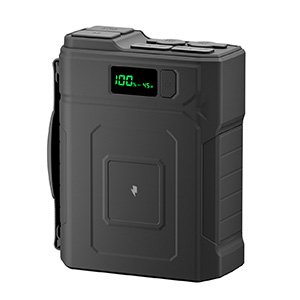
The Merpower GP35SE provides 192Wh of stored battery energy in a portable unit weighing 1500g.
Its USB-C and USB-A outputs can recharge compatible personal electronics, making it useful for a family carrying different devices.
During a Thanksgiving road trip, suitable uses can include:
- Replenishing a phone used for navigation and family contact.
- Charging a compatible tablet at an appropriate rest location.
- Providing a convenient charging option after arrival.
The USB-C1 output supports up to 65W, but connected devices do not automatically receive that amount. Actual charging depends on the device, supported protocol, cable, and operating conditions.
Check multi-device output requirements before planning to charge several items together. Individual port ratings should not be added together to assume the total simultaneous output.
The rated capacity also does not establish a fixed number of phone charges. Device battery size, charging losses, remaining energy, and other connected loads affect the result.
Pack the Cables With the Battery
Keep the GP35SE and its intended charging cables together.
Test each combination at home, including any cable used for a tablet or another device with different requirements. Confirm that it charges as expected rather than relying only on the connector fitting.
Labeling similar cables can help family members return them to the right bag.
Position the battery securely and follow its operating, temperature, and ventilation instructions. Keep connections dry and accessible for inspection.
Make Rest Stops Part of the Journey
Leave Room for Meals, Movement, and Delays
Build breaks into the plan according to the passengers and route.
A stop can provide time to eat, stretch, use facilities, and reassess the next part of the drive. Allowing for these needs makes the arrival estimate more realistic.
If a delay develops, update the family rather than trying to recover the time by rushing.
Avoid choosing a departure time solely from a general holiday headline. Check current conditions relevant to your journey.
Use Stops to Check People and Devices
At a suitable stopping place, take a quick look at what everyone needs.
Is the navigation phone running low? Does someone need an extra layer? Should the host receive an updated arrival estimate?
Check the next route section and decide whether plans need to change.
If a device needs charging, confirm that the connection is stable and that the equipment is placed appropriately. Prioritize the devices needed for the remaining journey before optional entertainment.
Keep the Charging Area Organized
Arrange charging equipment so cables cannot interfere with pedals, seat movement, doors, or passenger access.
Keep devices away from spilled drinks and avoid placing operating equipment beneath luggage or clothing.
When moving between the car and a rest location, collect the battery and cables together. A quick count before leaving can prevent an important cable from being forgotten.
Plan for the Visit and the Drive Home
Collect Devices in One Charging Place
Once you arrive, choose a suitable charging location with the host’s agreement.
Keep cables clear of walkways and avoid spreading equipment across busy dining or food-preparation areas.
A shared location makes it easier to find a phone, check what still needs charging, and collect belongings when it is time to leave.
Follow each product’s charging instructions and keep the equipment in suitable conditions.
Recheck the Return Route and Vehicle Readiness
Before driving home, review the weather and road information again.
Confirm fuel or vehicle charge, expected stops, and any changes to the route. Take account of the driver’s readiness for the journey as well as the vehicle’s.
The return trip deserves its own preparation, even when the outward drive went smoothly.
Leave With a Useful Power Reserve
Check the navigation phone and other necessary devices before departure.
Keep enough portable battery energy available for the remaining needs, considering journey length and reliable charging opportunities.
There is no single reserve percentage that fits every family. A short drive with dependable vehicle charging differs from a long route with limited opportunities to stop.
Before leaving, check the charging area, guest room, and vehicle for devices and cables.
A Final Thanksgiving Road Trip Checklist
Use this quick review before departure:
| Category | What to confirm |
|---|---|
| Destination | Address, arrival window, parking, and contact details |
| Route | Current weather, road information, and suitable stops |
| Passengers | Water, food, clothing, personal supplies, and comfort needs |
| Vehicle | Basic readiness, fuel or charge, and appropriate emergency supplies |
| Devices | Charged phones, saved information, and compatible cables |
| Portable power | Battery charged, connections tested, and placement suitable |
| Arrival and return | Essential bags accessible and belongings checked before leaving |
Keep the list short enough to use. Its purpose is to catch overlooked details before they become inconvenient.
Conclusion
A comfortable Thanksgiving road trip begins with a clear plan and supplies that match the people traveling.
Confirm the destination, keep everyday items accessible, prepare devices before leaving, and allow time for breaks. Give the return journey the same attention.
For compatible phones, tablets, and other personal electronics, the Merpower GP35SE can provide a portable charging reserve along the way. With those practical details handled, the family can arrive more comfortably and settle into the time together.
FAQs
When Is Thanksgiving in the United States in 2026?
Thanksgiving falls on Thursday, November 26, 2026. Other countries may observe Thanksgiving on different dates.
What Should Families Pack for a Thanksgiving Road Trip?
Prepare water, suitable food, personal supplies, clothing layers, passenger activities, charging cables, and appropriate vehicle emergency items. Adjust the list to the route, weather, and people traveling.
Which Devices Should Be Charged First During the Journey?
Prioritize devices needed for navigation, communication, and other necessary tasks. Optional entertainment can follow once those needs are covered.
Why Bring a Portable Battery If the Car Has USB Ports?
It can provide flexibility when vehicle ports are occupied, unavailable after shutdown, or inconvenient to access at a rest location. Check compatibility and the vehicle’s charging behavior first.
Can the GP35SE Charge Phones and Tablets?
Yes, where their charging requirements are compatible with its outputs. Use suitable cables and confirm the supported arrangement for multiple connected devices.
Will a Car’s Charging Ports Work After the Engine Is Turned Off?
That depends on the vehicle and the particular port. Check the owner’s manual. Ports that remain powered can continue drawing from the vehicle battery through connected equipment.
What Should You Check Before Driving Home After Thanksgiving?
Review the route and weather, confirm the driver and vehicle are ready, charge essential devices, and collect cables and personal belongings. Arrange appropriate stops for the return journey.