

















Introduction
Remote field work rarely takes place next to a convenient wall outlet.
Construction inspections, environmental surveys, agricultural operations, outdoor events, maintenance projects, and remote site visits often require people to work for hours or days away from reliable grid power. At the same time, modern field teams depend on more electronic equipment than ever. Phones, tablets, laptops, GPS devices, cameras, radios, and monitoring tools are now part of everyday work.
A fully charged battery at the beginning of the day is helpful, but it is not always enough. Long working hours, repeated communication, data collection, photography, and hot outdoor conditions can drain devices faster than expected. Once the battery level becomes a concern, workers may have to reduce device use, return to a vehicle or town for charging, or stop the work earlier than planned.
A more practical approach is to build a complete mobile power system:
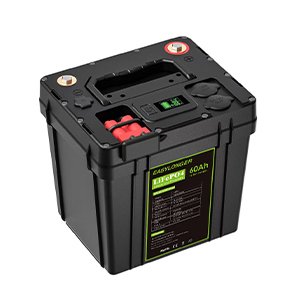
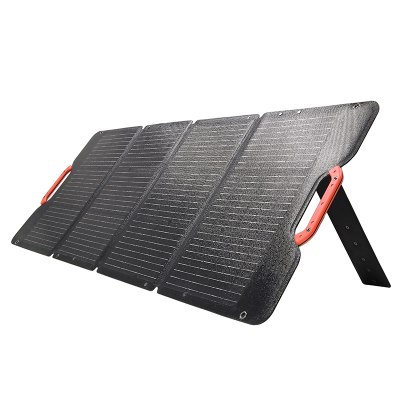
200W Solar Blanket → Portable Power Station → Work Devices
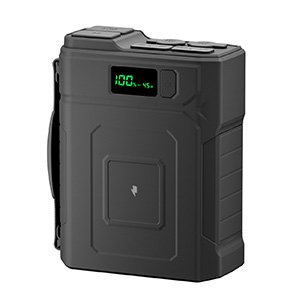
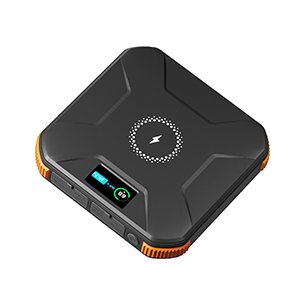
The solar blanket collects energy during the day. The portable power station stores that energy. The stored power is then used to support laptops, tablets, phones, communication equipment, lighting, and other compatible devices.
This setup does not eliminate every power limitation. It does, however, give remote teams a way to extend their working time without depending entirely on the electrical grid.
Why Remote Field Teams Need More Than a Full Battery
Many field teams begin the day with fully charged equipment. The problem is that a full battery only solves the first part of the power challenge.
A remote workday can change quickly. A site inspection may take longer than expected. A weather delay may extend the working window. A team may need to upload files, complete reports, contact a client, or record additional site conditions. A device that normally lasts all day in an office may consume power more quickly outdoors because of high screen brightness, weak network signals, GPS use, or continuous data collection.
Remote environments also create additional challenges:
- no reliable wall outlets
- long distances from towns or service areas
- high temperatures
- dust and sand
- limited shade
- repeated transportation and handling
- multiple workers using devices at the same time
Without a recharge plan, teams are forced to choose which equipment can continue operating. That may mean turning off communication devices, delaying documentation, or using vehicle power as the only backup option.
A reliable field power system should therefore consider two questions:
- How much energy do the devices need?
- How can the team replace that energy during the workday?
The first question determines battery capacity. The second is where solar charging becomes useful.
Which Devices Need Reliable Power in Remote Outdoor Work?
Not every device has the same priority. A useful field power plan separates work-critical equipment from comfort and convenience devices.
Laptops and Tablets
Laptops and tablets may be used for:
- digital forms
- site reports
- map viewing
- project documentation
- equipment records
- technical drawings
- data entry
- customer communication
Tablets often consume less power than laptops, but their actual runtime depends on screen brightness, mobile connectivity, GPS use, and software activity. Laptop power requirements vary significantly between models. A lightweight business laptop may have very different charging requirements from a high-performance workstation.
Before building a mobile power plan, check the device charger or power adapter. The power station must provide a compatible output, voltage, and charging method. For USB-C laptops, the power station should support the required USB-C power delivery level. Other laptops may require a different output method or adapter.
Phones and Communication Equipment
A phone is more than a personal device in a remote work environment. It may be used for:
- calls
- messages
- photos
- location sharing
- navigation
- weather updates
- emergency communication
- hotspot connectivity
Remote workers may also carry two-way radios, satellite communicators, GPS devices, or other communication tools. These devices may not consume large amounts of power, but they are often high-priority equipment.
A field team should avoid allowing communication devices to reach critically low battery levels. They should be charged before less important equipment whenever stored energy is limited.
Cameras and Monitoring Equipment
Many outdoor jobs depend on images and video. Construction teams document progress. Environmental teams record site conditions. Agricultural workers monitor crops and equipment. Event crews capture operational information.
Cameras and action cameras often require repeated battery charging during long workdays. Additional equipment may include:
- camera batteries
- wireless microphones
- compact monitors
- sensors
- data collection devices
- small inspection tools
Solar charging can reduce the number of spare batteries the team needs to carry, although the complete energy requirement still depends on how frequently these devices are used.
Lighting and Small Field Accessories
Remote work may continue after sunset or in shaded areas. LED work lights, headlamps, and portable lamps are useful for inspection, maintenance, setup, and safety.
Other low-power accessories may include:
- portable fans
- rechargeable tools
- GPS accessories
- small DC devices
- equipment chargers
- portable communication hubs
These devices may be individually small, but together they can create a significant daily load.
How a Solar Blanket Fits Into a Remote Work Power System
A solar blanket is most useful when it is treated as the daytime charging part of a larger system.
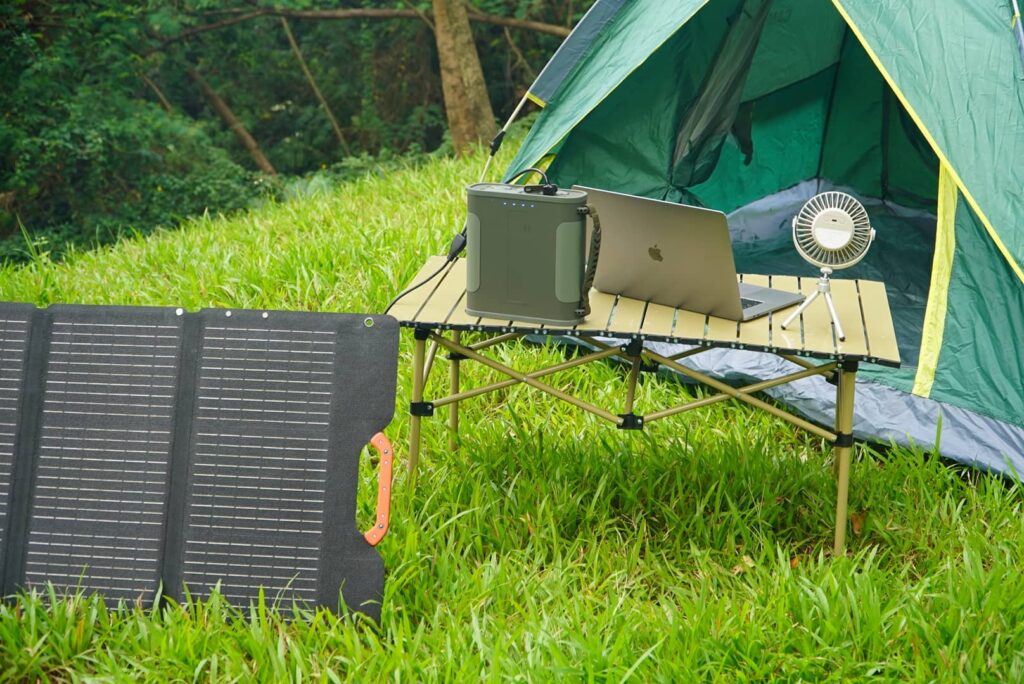
The 200W Solar Blanket collects energy when placed in suitable sunlight. Because it can be folded and transported, it is more practical for temporary work locations than a fixed solar installation. It can be unfolded near a vehicle, beside a temporary workstation, at a field camp, or in another open area with good solar exposure.
The portable power station acts as the storage buffer. It receives energy from the solar blanket and stores it for later use. This is important because the work team may need the most power at times when sunlight is weak or unavailable.
For example:
- The solar blanket charges the power station during the afternoon.
- The team uses the stored energy to recharge phones during work breaks.
- A laptop is powered from the station while reports are completed.
- LED lights and communication devices remain available after sunset.
This approach separates the time of energy collection from the time of energy use. It also gives the team a central place to manage several devices instead of connecting every device directly to the solar blanket.
Direct solar charging can be affected by passing clouds, changing panel angles, or partial shade. Battery storage helps smooth those changes.
Can a 200W Solar Blanket Support Laptops and Tablets?
It can support a remote workstation as part of a properly matched system, but the result depends on several factors.
The 200W rating represents the solar blanket’s maximum rated output under suitable conditions. It does not mean that the blanket will continuously deliver 200W in every outdoor environment. Actual output may be lower because of:
- cloud cover
- panel angle
- partial shade
- time of day
- dust
- heat
- cable losses
- changing weather
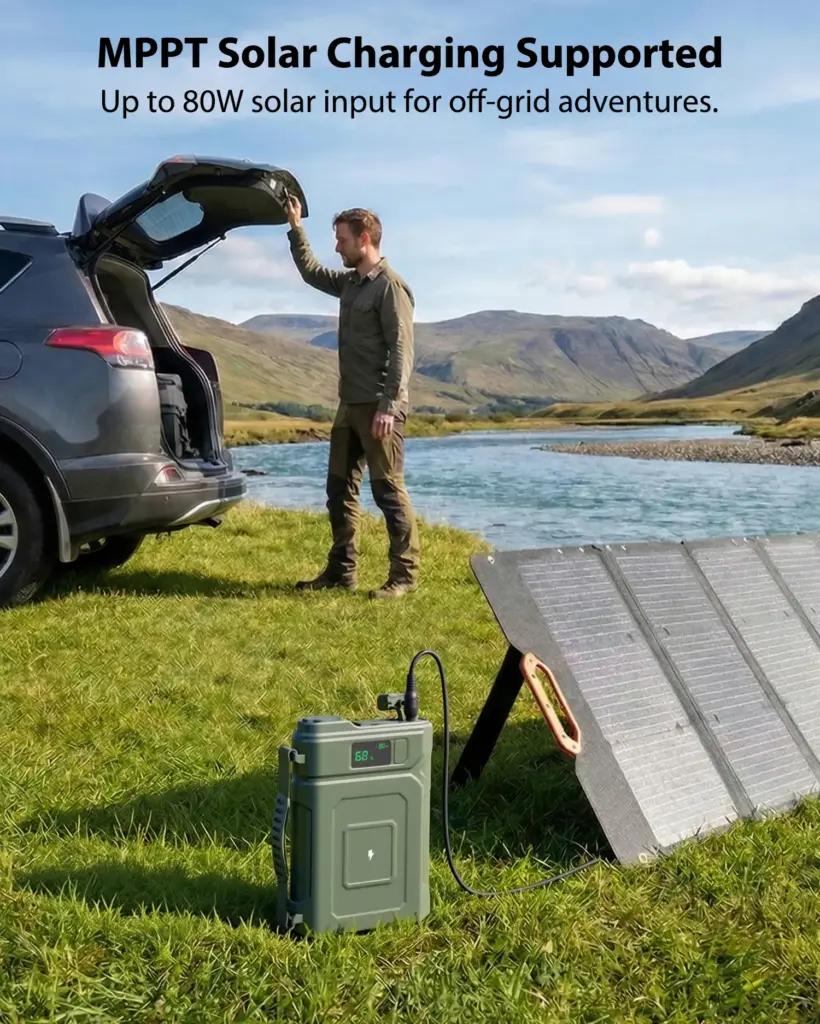
The total system also depends on the power station’s solar input limit and battery capacity. If the power station can accept only a certain amount of solar input, a 200W blanket will not automatically make it charge at the full 200W rating.
The following table provides a practical way to think about field devices:
| Work Device | Relative Power Demand | Practical Charging Strategy |
|---|---|---|
| Smartphone | Low | Charge directly or through stored battery power |
| Tablet | Low to medium | Recharge during planned work breaks |
| Business laptop | Medium | Use a compatible power station as the storage buffer |
| High-performance laptop | Medium to high | Confirm charger requirements and plan larger storage |
| GPS or communication device | Low | Treat as a high-priority field load |
| LED work light | Low | Use stored energy after sunset |
For most field teams, the most stable approach is to charge the portable power station first and then use it to support work devices. This gives the team more control over when and how energy is distributed.
A 200W Solar Blanket may help extend laptop and tablet operation, but it should not be described as a guarantee of unlimited all-day operation. High-performance laptops and continuous high-load equipment require a separate assessment.
What Makes a Remote Work Power Setup Reliable?
A reliable system depends on more than the solar blanket itself.
Battery Capacity
Battery capacity determines how much energy can be stored for later use. A larger battery provides more flexibility when sunlight is weak or work continues after sunset.
However, larger capacity also means more weight, more transport space, and potentially longer charging time. The right capacity depends on the number of devices, the expected working hours, and whether the team can recharge every day.
Output Compatibility
Different devices use different charging methods. Before selecting a portable power station, check:
- USB output requirements
- USB-C power requirements
- DC voltage and current
- laptop adapter specifications
- connector compatibility
- total simultaneous output
A power station should be selected according to the real device list, not just the battery capacity printed on the product.
Environmental Conditions
Remote work may take place in high temperatures, dusty areas, humid environments, or locations where equipment is frequently moved.
The power station should be placed in a shaded, dry, and stable area. It should not be left inside a hot vehicle for extended periods while operating. Ports and connectors should be protected from dust, sand, water, and accidental impact.
Splash resistance, where available, does not mean that equipment can be submerged or left in heavy rain without protection.
Recharging Flexibility
A field team benefits from more than one charging method. Solar charging can provide daytime replenishment, while vehicle charging or another approved input method may provide additional flexibility.
The more remote the job site, the more valuable it becomes to have a planned recharge strategy rather than a single point of failure.
Energy Management
Good energy management extends runtime without adding equipment.
Field teams can reduce unnecessary consumption by:
- lowering laptop screen brightness
- downloading maps and documents before departure
- disabling unused wireless features
- charging devices during planned breaks
- turning off lights when they are not needed
- prioritizing communication and safety equipment
- avoiding unnecessary continuous video recording
How to Use the 200W Solar Blanket More Effectively in the Field
A simple operating routine can improve results.
Before leaving, fully charge the portable power station and inspect the solar blanket, cables, and connectors. Confirm that the solar blanket and the power station are compatible in terms of voltage, current, connector type, polarity, and maximum input power.
At the work location:
- Select an open area with good sunlight.
- Keep the solar blanket away from vehicle and equipment shadows.
- Unfold it completely.
- Place the portable power station in a shaded and stable position.
- Connect the blanket according to the product instructions.
- Confirm that charging has started.
- Use the stored power according to device priority.
- Reposition the blanket if the sun or shade changes.
- Fold and store the equipment before strong wind, rain, or transport.
The brightest part of the day is usually the most useful charging period. Keeping the blanket clean also matters. Dust and sand can reduce the amount of light reaching the solar cells.
The system should not be left unattended in unsafe conditions. Strong wind can move a blanket, and rain or water exposure can create risks around electrical connectors.
Which Remote Work Scenarios Benefit Most From Solar Charging?
Solar charging is most useful when teams spend long periods away from the grid and have reasonable access to daylight.
Construction and Site Inspection
Workers may need tablets for plans, phones for communication, cameras for documentation, and lights for early or late work.
Environmental and Geographic Surveying
GPS devices, tablets, cameras, satellite communicators, and data collection tools may all need regular charging.
Agriculture and Ranch Operations
Field teams may use phones, tablets, monitoring equipment, cameras, and small fans while inspecting large outdoor areas.
Outdoor Events
Event staff may need communication devices, ticketing equipment, mobile data tools, cameras, and temporary lighting.
Remote Maintenance and Repair
Technicians may depend on laptops, tablets, diagnostic equipment, radios, and portable lights in locations without grid access.
In all of these scenarios, the 200W Solar Blanket is most valuable as a daytime energy source that extends the usefulness of stored battery power.
Where Merpower’s Solar Charging Solution Fits
Merpower’s 200W Solar Blanket is designed to support mobile and temporary power systems where users need to collect energy away from the grid.
It can fit naturally into:
- remote field work
- outdoor maintenance
- temporary workstations
- environmental inspection
- agricultural operations
- mobile event support
- off-grid camping workspaces
When paired with a compatible portable power station, the solar blanket can help support phones, tablets, laptops, cameras, communication devices, LED lighting, and selected low-power accessories.
The important point is system matching. The solar blanket should be selected together with the storage battery and the intended devices. Buyers should confirm the power station’s solar input specifications before connecting the system. They should also evaluate laptop charging requirements, daily energy consumption, expected sunlight, and environmental conditions.
Merpower’s approach is based on practical application rather than simply presenting a large wattage figure. A dependable mobile energy system should be clear about what it can support, how it should be used, and where its limits are.
Conclusion
Remote work requires more than a fully charged battery at the beginning of the day.
A practical field power system needs a way to collect energy, store it, and distribute it to the devices that matter. A 200W Solar Blanket can serve as the daytime charging component, while a compatible portable power station provides the storage and output needed for laptops, tablets, phones, cameras, communication equipment, and lighting.
The actual result depends on sunlight, battery capacity, device power requirements, charging compatibility, and daily work habits. Solar charging should not be presented as unlimited power. Its real value is more practical: it helps remote teams extend their available energy and remain productive for longer without returning to the grid.
For outdoor professionals, that can mean fewer interruptions, better communication, and a more dependable way to keep the work moving.