
















Hunting Camp Power Planning: Keep Your Gear Ready From Arrival to Departure
Before an early start, the equipment you depend on should already be charged. Your phone needs enough power for maps and communication, your GPS should be ready for the route, and your headlamp should have sufficient energy for the return.
Back at camp, those devices may all need charging again.
For a short trip, individual spare batteries or a small power bank may be enough. A vehicle-accessible camp with several people, multiple devices, and a few nights away requires more planning.
The practical approach is to identify what needs electricity, estimate how much it will use, and decide how the batteries will be replenished. A portable battery such as the Merpower GP45SE can serve as a central power source for compatible USB and DC equipment, while smaller backup supplies travel with each person.
Here is how to build that plan without turning camp preparation into an electrical engineering project.
Start With the Devices You Will Actually Use
Write down the equipment you intend to bring before deciding how much battery capacity you need.
Include charging accessories as well as the devices themselves. A camera with removable batteries may need its own charger, while a handheld GPS may use replaceable cells rather than USB power.
Navigation and Communication Come First
Give priority to the equipment that helps you navigate, communicate, and return safely:
- Mobile phone
- Handheld GPS
- Satellite messenger, where appropriate
- Compatible radio or charging dock
- Headlamp and backup light
A charged phone does not guarantee mobile coverage. Download the maps and information you need before leaving service, and keep an independent navigation backup that you know how to use.
Check how every device receives power. A USB port may be intended for data, charging, or both. Some electronics require a dedicated cable or charging cradle.
Separate Essential Equipment From Optional Loads
A simple list helps prevent convenience devices from consuming energy needed elsewhere.
| Category | Examples | Planning priority |
|---|---|---|
| Navigation and communication | Phone, GPS, satellite messenger, radio | Charge first and retain backup power |
| Personal lighting | Headlamp, flashlight | Prepare independent power for each person |
| Camp lighting | LED lantern, task light | Control brightness and operating time |
| Photography | Camera, action camera, battery charger | Confirm charging accessories |
| Comfort equipment | Compatible heated clothing or small fan | Use within the remaining energy budget |
| Refrigeration | Compatible DC refrigerator | Calculate separately because consumption varies |
Do not include equipment simply because a battery has a connector that appears to fit. Confirm that the device is suitable for the output you plan to use.
Give the Campsite and Your Day Pack Different Power Jobs
The battery you leave at camp and the backup you carry should serve different purposes.
Use Camp as a Charging Base
For a vehicle-accessible hunting camp, a central charging point can simplify the evening routine.
The GP45SE can support compatible devices while people prepare food, organize equipment, and review the next day’s route. Keep the charging area dry, accessible, and clear of foot traffic.
Charge the most important equipment first. Waiting until the final hour before departure can leave several people competing for the same cables and ports.
Carry Backup Power Away From Camp
A battery in a parked vehicle cannot help a GPS or headlamp that loses power several miles away.
Carry suitable spare batteries or a smaller personal power bank, together with the correct cable. The appropriate amount depends on the route, expected duration, weather, and consequences of a delay.
Rechargeable equipment also needs a practical backup strategy. For example, a spare headlamp or compatible replacement battery may be more useful on the trail than a charging cable alone.
Agree on a Group Charging Routine
For a shared camp, establish a few simple rules:
- Everyone brings the cables their equipment needs.
- Communication, navigation, and personal lighting receive priority.
- Finished devices are removed to free charging ports.
- Optional equipment is disconnected when energy becomes limited.
- A reserve remains available for delays and emergencies.
This is easier to manage than discovering late at night that the camp battery has been used mainly for cameras and comfort devices.
Where the GP45SE Fits Into a Hunting Camp
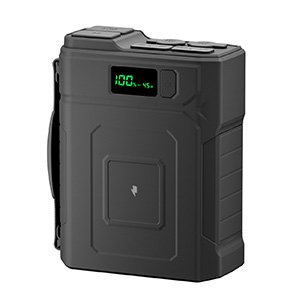
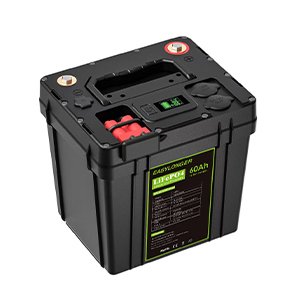
The Merpower GP45SE provides a central source of stored energy for compatible USB and DC equipment. Its 384Wh LiFePO4 battery is rated at 12.8V and 30Ah.
It is particularly useful where equipment would otherwise need to be charged individually from a vehicle or carried back to a building with mains electricity.
USB Charging for Everyday Electronics
The GP45SE includes:
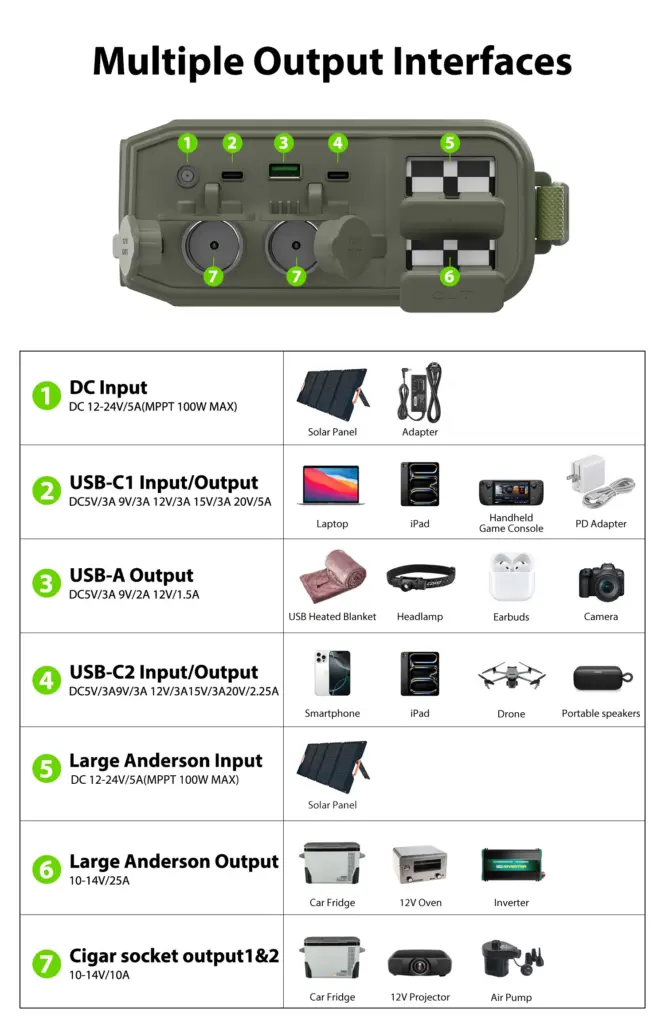
- USB-C1 output up to 100W
- A second USB-C output
- USB-A output up to 18W
These connections can support matched phones, cameras, charging accessories, and other USB-powered electronics.
The device and cable determine the charging power actually used. A 100W-capable output does not force 100W into a small device, and a high-power port does not guarantee that every connected device will charge quickly.
For removable camera or radio batteries, use the appropriate charging equipment.
DC Power for Matched Camp Equipment
The GP45SE also provides:
| Output | Specified range |
|---|---|
| Cigar-lighter socket | 10–14V, up to 10A |
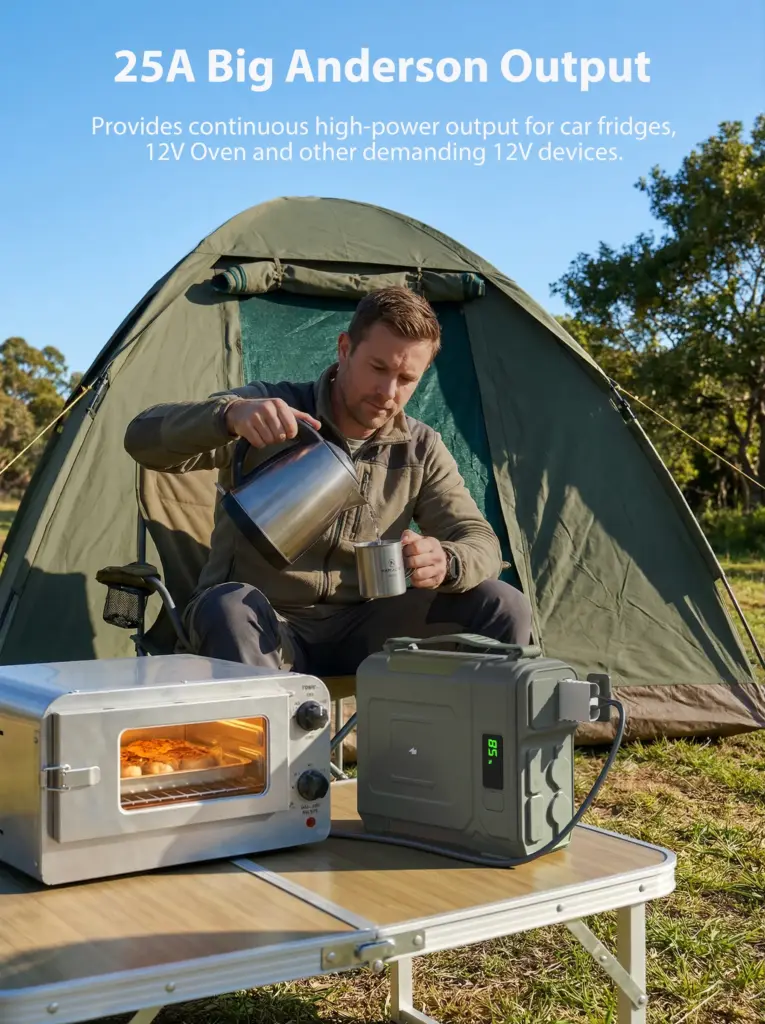
| Big Anderson connector | 10–14V, up to 25A |
These outputs can be considered for compatible DC lighting, refrigerators, and other suitable equipment.
Check the device’s permitted voltage range, current requirement, connector, and polarity. Equipment labeled “12V” may still require a regulated supply or a dedicated adapter.
Also check startup demand. A refrigerator or pump can draw more current when starting than during normal operation.
Individual port ratings should not be added together to assume that every output can operate at its maximum simultaneously. Confirm the permitted combination of loads before planning a shared setup.
A Practical Charging Point at Camp
The carrying handle makes the GP45SE convenient to move between the vehicle and a suitable camp charging area. Its built-in LED light can assist with finding cables or organizing equipment nearby.
Keep an independent headlamp with your personal equipment. The camp battery and its light should support your preparation without becoming the only source of illumination.
Work Out the Energy Budget Before Choosing a Runtime
Battery capacity is expressed in watt-hours, or Wh. Device power is expressed in watts, or W.
For a device operating at a reasonably steady power:
Energy required in Wh = Average power in W × Operating time in hours
Charging devices are less predictable because their power demand changes as their batteries fill. Manufacturer information, an appropriate energy meter, or a realistic charging test can help establish a useful estimate.
Build a Daily Power List
The following example shows the calculation method. These are hypothetical averages, not fixed consumption figures for all devices.
| Use | Assumed average power | Assumed operating time | Estimated energy |
|---|---|---|---|
| Combined phone charging | 15W | 3 hours | 45Wh |
| GPS charging | 5W | 2 hours | 10Wh |
| Camera battery charging | 10W | 2 hours | 20Wh |
| LED camp lighting | 8W | 4 hours | 32Wh |
| Total | — | — | 107Wh |
This table describes energy delivered to the loads. The battery must also cover conversion losses and other operating consumption.
Do not divide 384Wh by 107Wh and treat the result as a guaranteed number of camp days. Available energy changes with temperature, battery condition, output method, and the actual equipment used. An emergency reserve also needs to remain.
Account for People and Nights
A useful plan should answer:
- How many people will share the battery?
- How many devices need charging each evening?
- How many nights will you stay?
- Which loads run continuously?
- Will there be a reliable recharging opportunity?
- What happens if departure is delayed?
A larger group may need more energy even when everyone carries relatively small devices. Refrigeration or heating can change the budget much more significantly.
Test the Complete Setup
Before leaving, reproduce a typical evening at camp.
Connect the intended devices, use the lights for the expected time, and record the change in battery level. Test the combinations you expect to use together.
This also reveals missing adapters, damaged cables, incompatible charging docks, or output limitations before they become a problem outdoors.
Plan Recharging Around the Route and the Weather
A multi-day plan needs both stored energy and a realistic way to replace what is used.
Leave With Equipment Charged
Charge the GP45SE and personal electronics before departure. Check that spare batteries are ready and that the required charging accessories are packed.
Arriving with partially charged equipment uses camp energy before the normal daily routine has even begun.
Check Vehicle Charging Compatibility
Vehicle charging requires a suitable connection that matches the GP45SE input requirements.
Confirm the source, cable, voltage, and permitted current. Do not assume that an adapter is appropriate because its connector fits.
Also establish whether the vehicle outlet remains powered after the engine stops. An always-live connection can continue drawing from the starting battery unless the installation provides suitable control.
Treat Solar as Supplemental Power
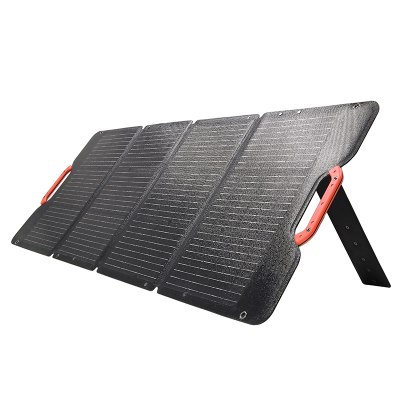
The GP45SE supports MPPT solar charging up to 100W through compatible inputs.
The panel’s electrical specifications, connector, and polarity must match the product requirements. A panel described only as “100W” does not provide enough information to confirm compatibility.
Forest shade, cloud, panel position, and shorter autumn days can all reduce charging. The panel’s rated power is not a promise of continuous output.
Use solar to supplement the plan where conditions allow. Retain a workable energy budget if sunlight is poor.
Save Energy Without Sacrificing Communication or Light
When energy becomes limited, reduce optional consumption first.
Control Lighting and Charging Time
Use task lighting where it is needed rather than lighting the entire campsite at maximum brightness.
Disconnect equipment when charging is complete and switch off unused accessories. A modest reduction repeated over several evenings can preserve useful energy.
Check settings before leaving camp so a device does not remain recording, transmitting, or illuminating unnecessarily.
Review Heating and Refrigeration Separately
Heating appliances can use stored energy quickly. Check both output compatibility and expected consumption before connecting an electric kettle, cooking appliance, heater, or heated clothing.
Dry layers, a suitable sleeping bag, an insulating mat, and adequate shelter remain the foundation of cold-weather comfort.
A DC refrigerator needs its own assessment. Consumption depends on ambient temperature, ventilation, settings, contents, and how often it is opened. Test it under conditions reasonably similar to the trip.
Keep an Emergency Reserve
Reserve energy for essential communication, navigation, and personal lighting if the trip lasts longer than expected.
The appropriate reserve depends on the location, group size, equipment, and available help. Agree on it before optional loads are connected.
Protect the Battery From Camp Conditions
Outdoor power equipment needs suitable placement and care.
Keep Connections Dry and Equipment Ventilated
Place the GP45SE on a stable, dry surface where rain, runoff, and condensation cannot reach its ports.
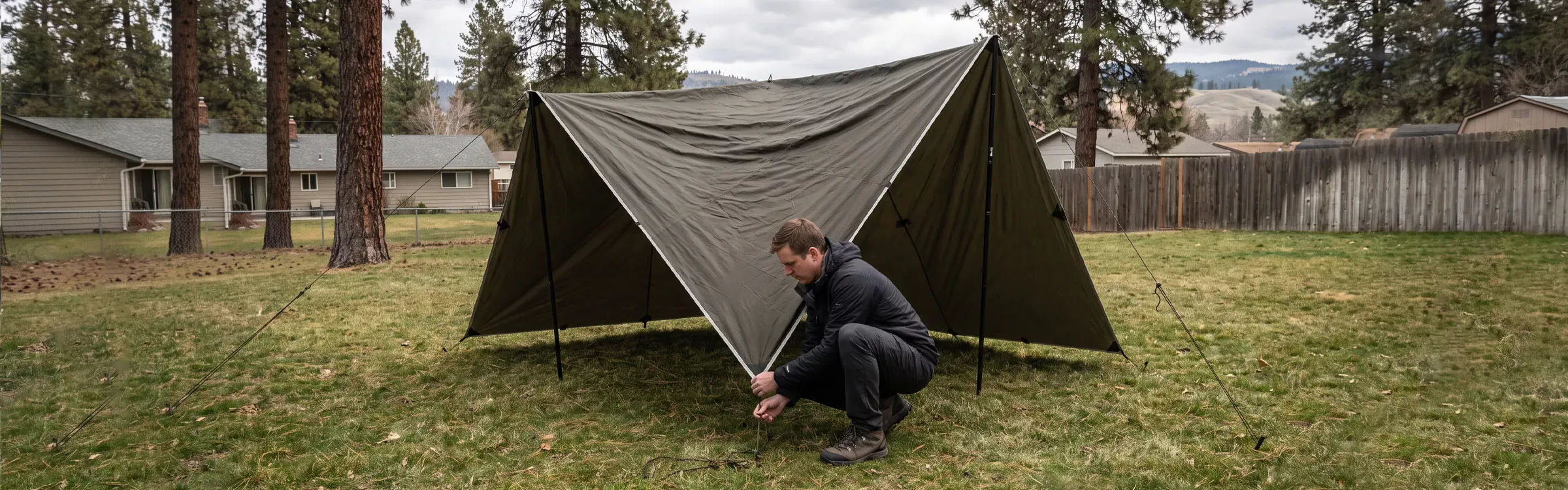
A tarp overhead does not automatically protect equipment from wind-driven rain or wet ground. Use appropriate shelter while maintaining ventilation.
Keep cables away from walking routes, stoves, hot cookware, and vehicle movement. Inspect connectors for dirt, moisture, damage, and loose contact before use.
Do not cover an operating battery with clothing, bedding, or other insulation.
Follow the Charging Temperature Limits
Autumn conditions can vary considerably between afternoon and early morning.
Follow the GP45SE’s specified operating and charging temperature ranges. Do not assume that a temperature suitable for discharge is also suitable for charging.
If the permitted limits are unclear, confirm them with Merpower before departure. Never use a stove, flame, or heat gun to warm the battery.
Check the System Before Leaving Camp
Review the remaining energy and inspect the battery, ports, and cables.
Stop using equipment that is damaged, swollen, leaking, unusually hot, or affected by water. Repeated shutdowns also need investigation rather than repeated restarting.
A Charging Routine for Arrival, Evening, and Departure
A consistent routine makes the power plan easier to follow.
| Stage | Suggested action |
|---|---|
| Arrival | Establish a dry charging area and check the battery |
| Before leaving camp | Carry personal backup power, lighting, and navigation supplies |
| Evening return | Charge communication equipment, GPS devices, and headlamps first |
| Later in the evening | Manage camp lighting and optional loads |
| Before sleep | Check charging status, placement, and remaining reserve |
| Next departure | Confirm that essential devices are ready and pack their cables |
Lighting discussed here is for camp tasks, travel, and emergency use. Follow local requirements for hunting hours and the use of artificial light.
Leave Camp With a Power Plan You Have Already Tested
A useful hunting-camp power system begins with the equipment you depend on and the time you expect to use it.
Give navigation, communication, and personal lighting priority. Keep a separate backup with you when leaving camp. Estimate daily consumption, allow for losses, and preserve enough energy for an unexpected delay.
The Merpower GP45SE can serve as a central supply for compatible USB and DC equipment at a vehicle-accessible camp. Its 384Wh LiFePO4 battery, USB charging options, and DC outputs provide several connection choices, but each device still needs to be matched correctly.
Before selecting a setup, share your device models, power requirements, connectors, group size, and trip duration with Merpower. Those details help turn a capacity figure into a practical camp power plan.
Frequently Asked Questions
How Much Battery Capacity Do I Need for a Hunting Camp?
List the devices, estimate their daily energy use, multiply by the planned duration, and allow for losses and an emergency reserve. Include any reliable recharging opportunities.
Can the GP45SE Charge Phones, GPS Devices, and Cameras?
It can support compatible devices through its USB and DC outputs. Some equipment requires a dedicated cable or charging dock, while other devices use replaceable batteries.
Do I Need a Separate Power Bank When Leaving Camp?
Carry appropriate personal backup power or spare batteries. A supply left at camp cannot support equipment that loses power while you are away.
Can the GP45SE Power Several Devices at Once?
Check the permitted simultaneous output configuration and combined load with Merpower. Individual port maximums do not automatically represent the total power available together.
Can the GP45SE Run a 12V Refrigerator?
It may support a compatible model within its voltage, current, and startup limits. Runtime depends on the refrigerator and conditions, so test the actual combination.
Can I Use the GP45SE for Heated Clothing?
Possibly, if the clothing’s voltage, current, connector, and power requirements match the selected output. Include its operating time in the energy budget.
Can Solar Recharge the GP45SE at a Wooded Campsite?
A compatible panel can provide charging, but tree cover and weather may substantially reduce output. Do not depend on rated panel power as a guaranteed daily supply.
What Should I Check Before Charging in Cold Weather?
Confirm the battery’s charging temperature range and actual temperature. Follow the manual and do not force charging outside the permitted conditions.
Is the GP45SE Waterproof?
Do not assume a waterproof rating. Keep the battery and connectors dry and follow the product’s environmental protection instructions.
Which Devices Should Receive Power First?
Prioritize communication, navigation, and personal lighting. Charge cameras and comfort equipment after essential needs and the reserve have been covered.
How Can I Estimate Runtime?
Divide usable battery energy in watt-hours by the device’s average power in watts. Use the result as an estimate and verify it through realistic testing.